SAVE 30% ON 3+ NIGHT STAYS

Extend your adventure with 30% off 3+ night stays Oct to Feb. Offer available until September 11th.

See Details

Guide

How to adjust your Thermostat

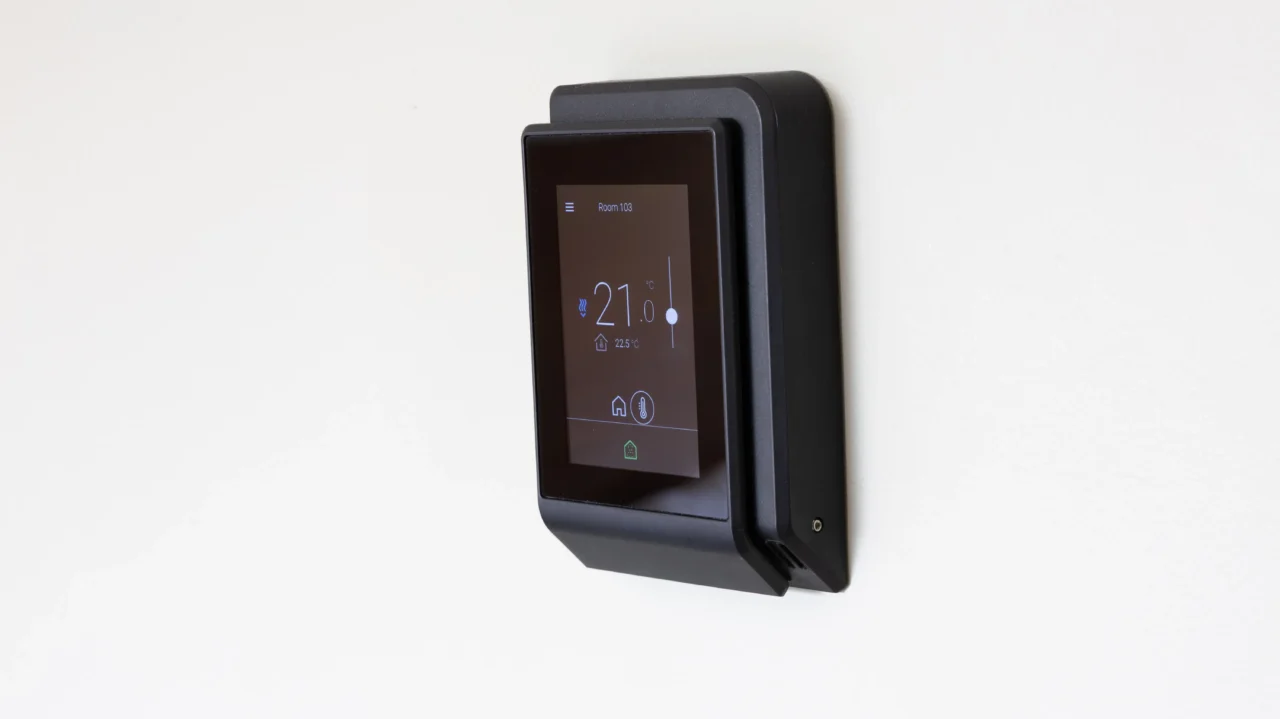
  1. Tap on the display (the display will illuminate)
  2. Click on the large temperature number
  3. Click on the white dot and drag the dot up or down to your desired temperature. The range allows between 18C – 27C (64.4F – 80.6F)
  4. Allow approximately 30 minutes for your room to reach the desired temperature
  5. The display will automatically go dark after 5 minutes. To check the current temperature, tap on the display. The display will show the current temperature
Setting the Thermostat

Occupancy Button

Please make sure the Occupancy Button is green. Tapping the Occupancy button can easily change the icon from green to white, which will turn off the system.
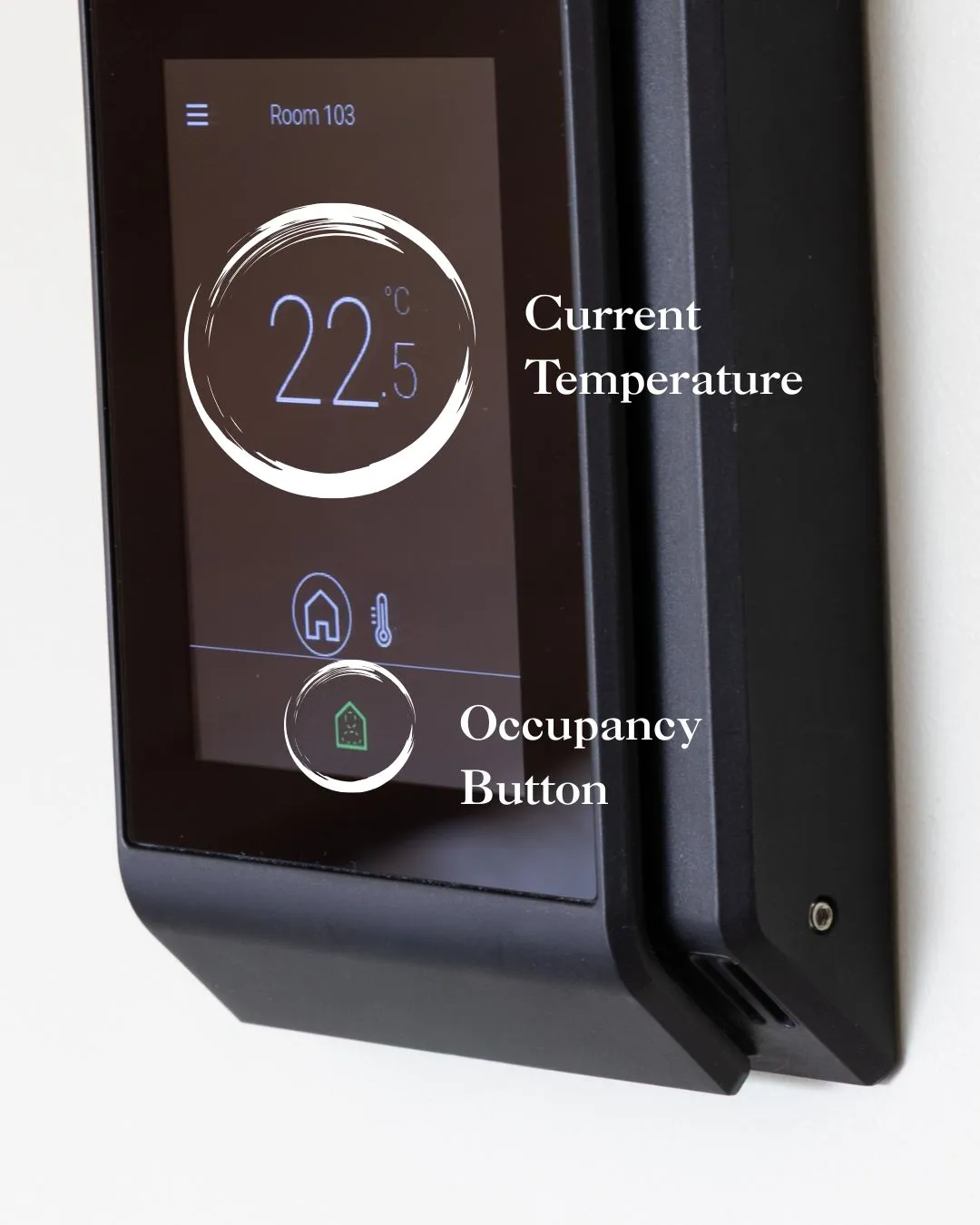
  • Green indicates that the room is occupied and the temperature can be manually changed by dragging the white dot.
  • White indicates that the room is unoccupied and the climate control will switch to a default temperature.
Thermostat

Why isn't the air conditioning turning on immediately?

The air conditioning won’t start the moment the room goes above your chosen temperature. To reduce noise and improve efficiency, it waits until the room is about 1.5°C warmer before turning on.

Example: If you set the thermostat to 22°C, the air conditioning will start cooling once the room reaches around 23.5°C. This is normal and helps keep the room comfortable and quiet without the system constantly switching on and off.

Still not perfect? Please seek assistance from our Front Desk team.